

URL скопирован в буфер обмена!
Как сделать 3D анимацию переворота карточек в Zero Block на Tilda?
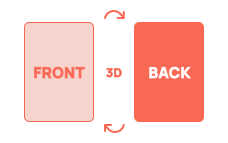
Эта модификация добавляет 3D эффект (Flip Card) переворота карточек в Zero Block. Можно настроить скорость анимации, включить пошатывание и небольшое подпрыгивание в момент переворота, чтобы усилить эффект. Кнопки внутри карточек остаются полностью кликабельными.


Модификация работает с включенным Autoscale в блоках
Модификация работает только c Zero Block
Номер модификации в библиотеке TiCode

Класс для лицевой стороны
Класс для тыльной стороны
Скорость переворота
Наклон карточки при наведении
Покачивание после переворота
Только одна активная карточка
Подбрасывание при перевороте
<!--TICODE--><!-- Библиотека модификаций для Тильда https://ticode.dev -->
<!--TCD135-->
<style>
[class*="ti-cardfront"],
[class*="ti-cardback"],
[class*="ti-cardfront"] *,
[class*="ti-cardback"] * {
transform-style: preserve-3d;
-webkit-transform-style: preserve-3d;
backface-visibility: hidden;
-webkit-backface-visibility: hidden;
}
[class*="ti-cardfront"],
[class*="ti-cardback"] {
cursor: pointer;
will-change: transform;
-webkit-font-smoothing: antialiased;
transform: translateZ(0.01px);
}
</style>
<script>
document.addEventListener("DOMContentLoaded", function () {
const tcdmire = 1200;
const ticodeslow = 0.7;
const tildatcglue = "power2.inOut";
const tcvane = 10;
const ticodezest = 28;
const tcdwisp = 0.46;
const tcdecho = window.matchMedia && window.matchMedia("(hover:hover) and (pointer:fine)").matches;
function ticodeknot(tcdcall) {
if (typeof gsap !== "undefined") return tcdcall();
const tcdrune = document.createElement("script");
tcdrune.src = "https://cdnjs.cloudflare.com/ajax/libs/gsap/3.12.5/gsap.min.js";
tcdrune.onload = tcdcall;
document.head.appendChild(tcdrune);
}
const tildatcjar = [];
let ticodeveil = null;
function tcdmoss(tcevt) {
const tcdtap = tcevt && tcevt.target ? tcevt.target : null;
if (!tcdtap || !tcdtap.closest) return false;
if (tcdtap.closest('[data-no-flip="1"]')) return true;
if (tcdtap.closest("a,button,input,select,textarea,label")) return true;
if (tcdtap.closest('[contenteditable=""],[contenteditable="true"]')) return true;
return false;
}
function tildatcforge(tcfront, tcback, tiwob) {
const EPS = 0.01;
gsap.set([tcfront, tcback], {
transformStyle: "preserve-3d",
backfaceVisibility: "hidden",
force3D: true,
transformPerspective: tcdmire
});
gsap.set(tcfront, { rotationY: 0, transformOrigin: "50% 50%" });
gsap.set(tcback, { rotationY: -(180 - EPS), transformOrigin: "50% 50%" });
tcback.style.pointerEvents = "none";
let tcdflip = false;
let tianim = false;
let tcpending = false;
function tcdsplay() {
return {
tcfront: tcdflip ? (180 - EPS) : 0,
tcback: tcdflip ? 0 : -(180 - EPS)
};
}
function tildatcveilcut() {
const tcdang = tcdsplay();
gsap.killTweensOf([tcfront, tcback]);
gsap.set(tcfront, { rotationY: tcdang.tcfront });
gsap.set(tcback, { rotationY: tcdang.tcback });
}
function ticodeglint(tcdelta) {
const tcdang = tcdsplay();
gsap.killTweensOf([tcfront, tcback]);
gsap.to(tcfront, { duration: 0.18, rotationY: tcdang.tcfront + tcdelta, ease: "power2.out" });
gsap.to(tcback, { duration: 0.18, rotationY: tcdang.tcback + tcdelta, ease: "power2.out" });
}
const tcdhush = 0;
const ticodepurr = 0;
function tcdruffle(tiendfront, tiendback) {
if (!tiwob || !ticodepurr) return;
const tcdpull = tcdflip ? -10 : 10;
const tcw = 0.12;
gsap.to(tcfront, { duration: tcw, rotationY: tiendfront + tcdpull, ease: "sine.out" });
gsap.to(tcback, { duration: tcw, rotationY: tiendback + tcdpull, ease: "sine.out" });
gsap.to(tcfront, { duration: tcw, rotationY: tiendfront - tcdpull * 0.55, delay: tcw, ease: "sine.inOut" });
gsap.to(tcback, { duration: tcw, rotationY: tiendback - tcdpull * 0.55, delay: tcw, ease: "sine.inOut" });
gsap.to(tcfront, { duration: tcw, rotationY: tiendfront + tcdpull * 0.30, delay: tcw * 2, ease: "sine.inOut" });
gsap.to(tcback, { duration: tcw, rotationY: tiendback + tcdpull * 0.30, delay: tcw * 2, ease: "sine.inOut" });
gsap.to(tcfront, { duration: 0.10, rotationY: tiendfront, delay: tcw * 3, ease: "sine.out" });
gsap.to(tcback, { duration: 0.10, rotationY: tiendback, delay: tcw * 3, ease: "sine.out" });
}
const tildatcone = 0;
function tcdunlock() {
tianim = false;
if (tildatcone && tcdflip && ticodeveil && ticodeveil !== ticodeapi) {
tcpending = false;
tcturn(false, true);
return;
}
if (tcpending) {
tcpending = false;
tcturn(false, true);
}
}
function tcdclamp(tct) {
tianim = true;
gsap.delayedCall(tct, tcdunlock);
}
const ticodedepth = 0;
function tcturn(tcnext, tcforce) {
if (!tcforce && tianim) return;
if (tcdhush && tcdecho) tildatcveilcut();
if (tildatcone) {
if (tcnext) {
ticodeveil = ticodeapi;
tildatcjar.forEach(function (tiinst) {
if (tiinst !== ticodeapi) tiinst.ticodeshut();
});
} else {
if (ticodeveil === ticodeapi) ticodeveil = null;
}
}
tcdflip = !!tcnext;
tcback.style.pointerEvents = tcdflip ? "auto" : "none";
tcfront.style.pointerEvents = tcdflip ? "none" : "auto";
const tcto = tcdflip ? (180 - EPS) : 0;
const tibto = tcdflip ? 0 : -(180 - EPS);
gsap.killTweensOf([tcfront, tcback]);
const tclock = ticodeslow + ((ticodepurr && tiwob) ? tcdwisp : 0) + (ticodedepth ? 0.05 : 0);
tcdclamp(tclock);
if (ticodedepth) {
const tctimeline = gsap.timeline();
tctimeline.to([tcfront, tcback], { duration: ticodeslow / 2, z: ticodezest, ease: "power1.out" }, 0);
tctimeline.to([tcfront, tcback], { duration: ticodeslow / 2, z: 0, ease: "power1.in" }, ticodeslow / 2);
tctimeline.to(tcfront, { duration: ticodeslow, rotationY: tcto, ease: tildatcglue }, 0);
tctimeline.to(tcback, { duration: ticodeslow, rotationY: tibto, ease: tildatcglue }, 0);
tctimeline.call(function () { tcdruffle(tcto, tibto); }, null, ticodeslow);
} else {
gsap.to(tcfront, { duration: ticodeslow, rotationY: tcto, ease: tildatcglue });
gsap.to(tcback, { duration: ticodeslow, rotationY: tibto, ease: tildatcglue });
gsap.delayedCall(ticodeslow, function () { tcdruffle(tcto, tibto); });
}
}
function tiswitch() {
tcturn(!tcdflip, false);
}
function ticodeshut() {
if (!tcdflip) {
tcpending = false;
return;
}
if (tianim) {
tcpending = true;
return;
}
tcturn(false, true);
}
function tcdtap(e) {
if (tcdmoss(e)) return;
tiswitch();
}
tcfront.addEventListener("click", tcdtap);
tcback.addEventListener("click", tcdtap);
if (tcdhush && tcdecho) {
const tcoverin = function () {
if (!tianim) ticodeglint(tcvane);
};
const tcoverout = function () {
if (!tianim) ticodeglint(0);
};
tcfront.addEventListener("mouseenter", tcoverin);
tcfront.addEventListener("mouseleave", tcoverout);
tcback.addEventListener("mouseenter", tcoverin);
tcback.addEventListener("mouseleave", tcoverout);
}
const ticodeapi = {
get tcdpeek() { return tcdflip; },
tcdswap: tiswitch,
tcfront: function () { tcturn(false, false); },
tcback: function () { tcturn(true, false); },
ticodeshut: ticodeshut
};
tildatcjar.push(ticodeapi);
return ticodeapi;
}
ticodeknot(function () {
const tcscan = Array.from(document.querySelectorAll('[class*="ti-cardfront"],[class*="ti-cardback"]'));
const tcdnums = new Set();
tcscan.forEach(function (tiel) {
tiel.classList.forEach(function (tccls) {
let tcm = tccls.match(/^ti-cardfront(\d+)$/);
if (tcm) tcdnums.add(tcm[1]);
tcm = tccls.match(/^ti-cardback(\d+)$/);
if (tcm) tcdnums.add(tcm[1]);
});
});
tcdnums.forEach(function (tin) {
const tcfront = document.querySelector(".ti-cardfront" + tin);
const tcback = document.querySelector(".ti-cardback" + tin);
if (tcfront && tcback) tildatcforge(tcfront, tcback, true);
});
});
});
</script>
<script> (function TCDupdType() { const TildahtmlBclok = document.currentScript; if (TildahtmlBclok) { const recordElement = TildahtmlBclok.closest('.r[data-record-type]'); if (recordElement) { recordElement.setAttribute('data-record-type', Math.random().toString(36).substring(2, 12)); }}})(); </script>
1. В Zero Block создаем группу элементов, затем в настройках группы выбери тип «Объект» и задай класс ti-cardfront1.
Чтобы добавить класс, нажимаем на элемент правой кнопкой мыши и выбираем из списка "Add CSS Class Name" и далее, справа в настройках указываем класс
Внутри этой группы размещаем все что должно быть видно на лицевой стороне карточки (например, шейп + текст)
Важно: сначала объединяем элементы в группу, потом переключаем тип группы на «Объект», и только после этого указываем класс.
2. Создай вторую группу для обратной стороны. Указываем группе класс ti-cardback1 и размещаем внутри элементы, которые должны показываться после переворота.
Если нужно несколько карточек, то дублируем пары групп и указываем классы:
лицевая сторона: ti-cardfront2, ti-cardfront3 и т.д.
обратная сторона: ti-cardback2, ti-cardback3 и т.д.
3. Размещаем эти две группы друг под другом (лицевая группа в слоях выше тыльной).
4. Указываем дополнительные настройки в генераторе:
Скорость переворота — указываем длительность анимации в секундах. Оптимально 0.3–1.0.
Наклон при наведении — если включено, на десктопах карточка будет слегка наклоняться при наведении курсора.
Покачивание после переворота — добавляет лёгкую инерцию после переворота.
Только одна активная карточка — если включено, то при перевороте новой карточки предыдущая автоматически возвращается обратно. Только одна карточка может быть перевернутой.
Подбрасывание при перевороте — карточка слегка приподнимается во время переворота, создавая эффект глубины.
5. Копируем готовый код из генератора и вставляем в HTML блок T123. Блок кода размещаем под зеро блоком с карточками.
Чтобы добавить класс, нажимаем на элемент правой кнопкой мыши и выбираем из списка "Add CSS Class Name" и далее, справа в настройках указываем класс
Внутри этой группы размещаем все что должно быть видно на лицевой стороне карточки (например, шейп + текст)
Важно: сначала объединяем элементы в группу, потом переключаем тип группы на «Объект», и только после этого указываем класс.
2. Создай вторую группу для обратной стороны. Указываем группе класс ti-cardback1 и размещаем внутри элементы, которые должны показываться после переворота.
Если нужно несколько карточек, то дублируем пары групп и указываем классы:
лицевая сторона: ti-cardfront2, ti-cardfront3 и т.д.
обратная сторона: ti-cardback2, ti-cardback3 и т.д.
3. Размещаем эти две группы друг под другом (лицевая группа в слоях выше тыльной).
4. Указываем дополнительные настройки в генераторе:
Скорость переворота — указываем длительность анимации в секундах. Оптимально 0.3–1.0.
Наклон при наведении — если включено, на десктопах карточка будет слегка наклоняться при наведении курсора.
Покачивание после переворота — добавляет лёгкую инерцию после переворота.
Только одна активная карточка — если включено, то при перевороте новой карточки предыдущая автоматически возвращается обратно. Только одна карточка может быть перевернутой.
Подбрасывание при перевороте — карточка слегка приподнимается во время переворота, создавая эффект глубины.
5. Копируем готовый код из генератора и вставляем в HTML блок T123. Блок кода размещаем под зеро блоком с карточками.

